Load concept_recommended table
Prerequisites
- Athena vocabularies have already been loaded into the
cdmvocabschema. See Load Athena vocabularies.
Step 1: Download the data
- The
concept_recommendedtable data is maintained by OHDSI as part of the PHOEBE project. - Download the latest
concept_recommended_20240527.zipfrom the OHDSI PHOEBE SharePoint - Unzip the file and move it to the
cache/vocabdirectory in your Data2Evidence project:
cd $GIT_BASE_DIR
GIT_BASE_DIR=$(pwd)
VOCAB_DIR=$GIT_BASE_DIR/cache/vocab
unzip -o path/to/download/concept_recommended_202240527.zip -d $VOCAB_DIR/
Step 2: Transform the data
- Apply the same escaping and quoting transformation used for other vocabulary files, and copy the result to the
transformedfolder alongside the other Athena vocab files:
cd $VOCAB_DIR
sed 's/\"/\"\"/g;s/,/\"\t\"/g;s/\(.*\)/\"\1\"/' concept_recommended_20240527.csv >> ./transformed/CONCEPT_RECOMMENDED.csv
Step 3: Create the concept_recommended table
- Check whether the
concept_recommendedtable already exists in the CDM schema:
PROJECT_NAME=$(grep -E '^PROJECT_NAME=' .env 2>/dev/null | awk -F'=' '{print $2}' | tr -d '"')
PROJECT_NAME=${PROJECT_NAME:-"d2e"}
CONTAINER_NAME=$PROJECT_NAME-minerva-postgres-1
docker exec -it $CONTAINER_NAME psql -h localhost -U postgres -p 5432 -d alpdev_pg --command "
SELECT table_name FROM information_schema.tables
WHERE table_schema = 'cdmvocab' AND table_name = 'concept_recommended';"
- If the table does not exist, create it:
docker exec -it $CONTAINER_NAME psql -h localhost -U postgres -p 5432 -d alpdev_pg --command "
CREATE TABLE IF NOT EXISTS cdmvocab.concept_recommended (
    concept_id_1        INTEGER NOT NULL,
    concept_id_2        INTEGER NOT NULL,
    relationship_id     VARCHAR(20) NOT NULL
);"
Step 4: Load data into the concept_recommended table
This step reads /app/vocab/CONCEPT_RECOMMENDED.csv, which requires cache/vocab/transformed to be bind-mounted onto the alp-dataflow-gen-worker container — the same mount used in Load Athena vocabularies. This command is safe to run whether or not that mount is still present (it won't create a duplicate entry if it is):
cd $GIT_BASE_DIR
yq -i '.services.alp-dataflow-gen-worker.volumes = (.services.alp-dataflow-gen-worker.volumes + ["./cache/vocab/transformed:/app/vocab"] | unique)' docker-compose.yml
d2e stop
d2e start
- Use the
data_load_pluginto insert content into theconcept_recommendedtable:
CONTAINER_NAME=$PROJECT_NAME-dataflow-gen-worker
docker exec -it -e TZ=UTC $CONTAINER_NAME pixi run --manifest-path /opt/worker/pyproject.toml prefect deployment run data_load_plugin/data_load_plugin --param options='{"files":[{"name": "CONCEPT_RECOMMENDED","path": "/app/vocab/CONCEPT_RECOMMENDED.csv","truncate": true,"table_name": "concept_recommended"}],"header": true,"encoding": "utf_8","chunksize": 50000,"delimiter": "\t","schema_name": "cdmvocab","database_code": "alpdev_pg","escape_character": null,"empty_string_to_null": null}'
- Check the container logs to confirm data was loaded:
docker logs --tail 100 $CONTAINER_NAME
- Once the flow is completed, the container logs the message
Finished in state Completed() - Expected output is:
COPY
${LINE_COUNT}
Step 5: Update cache
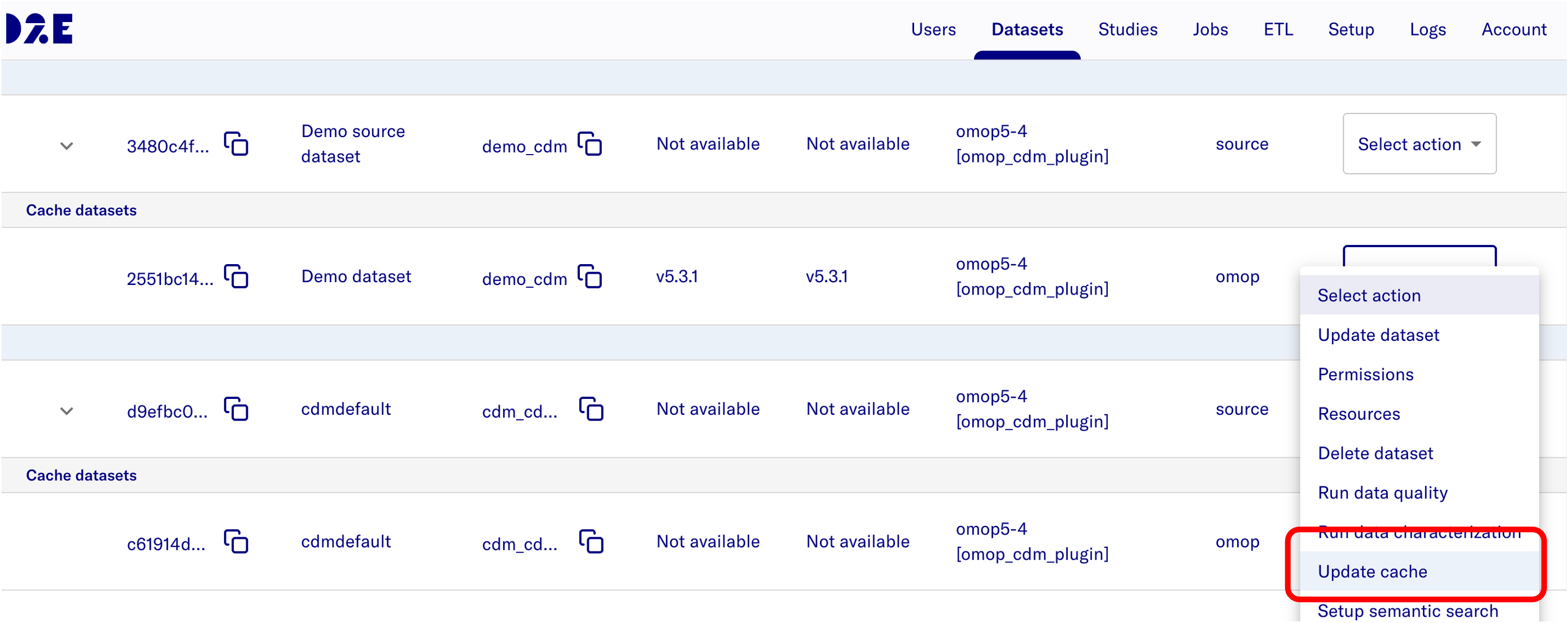
- After loading data, go to Data2Evidence Datasets page of Admin portal and update the cache so that concept recommendations are reflected in the application.
Step 6: Test the functionality
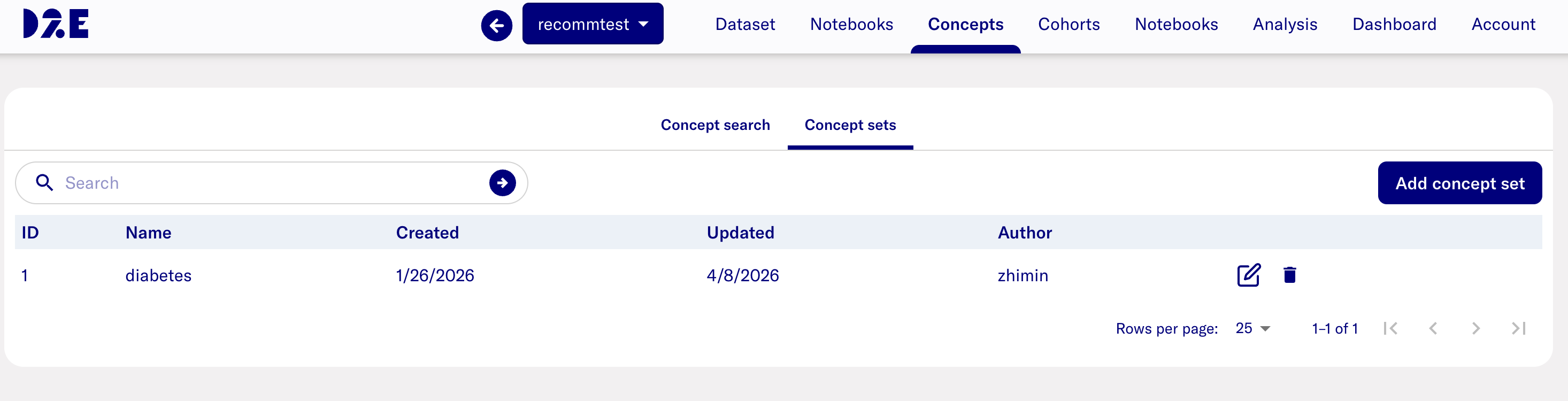
- Navigate to the Data2Evidence Concept page in "Research" portal and select one "Concept sets"
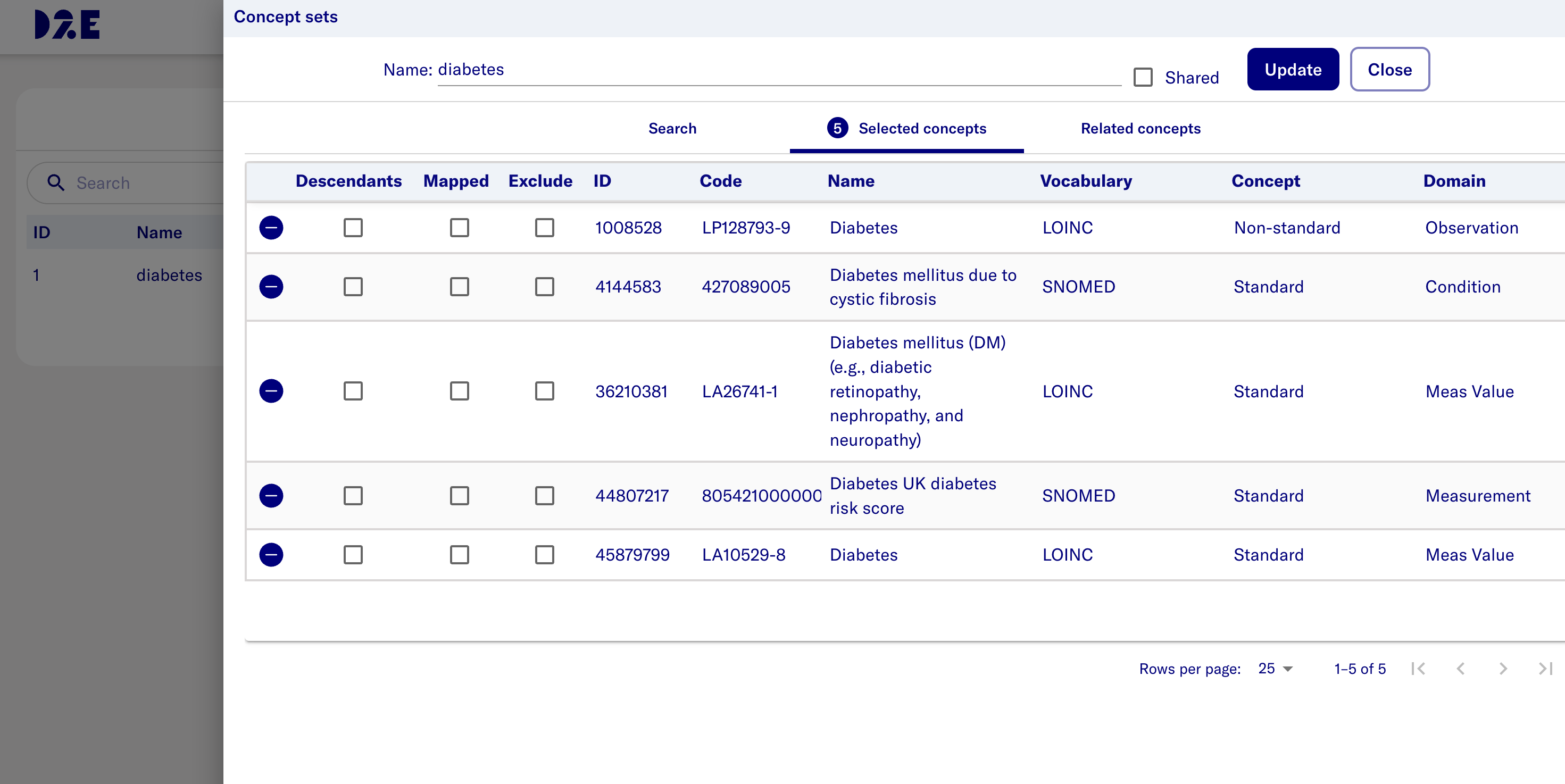
- Add interested concept sets
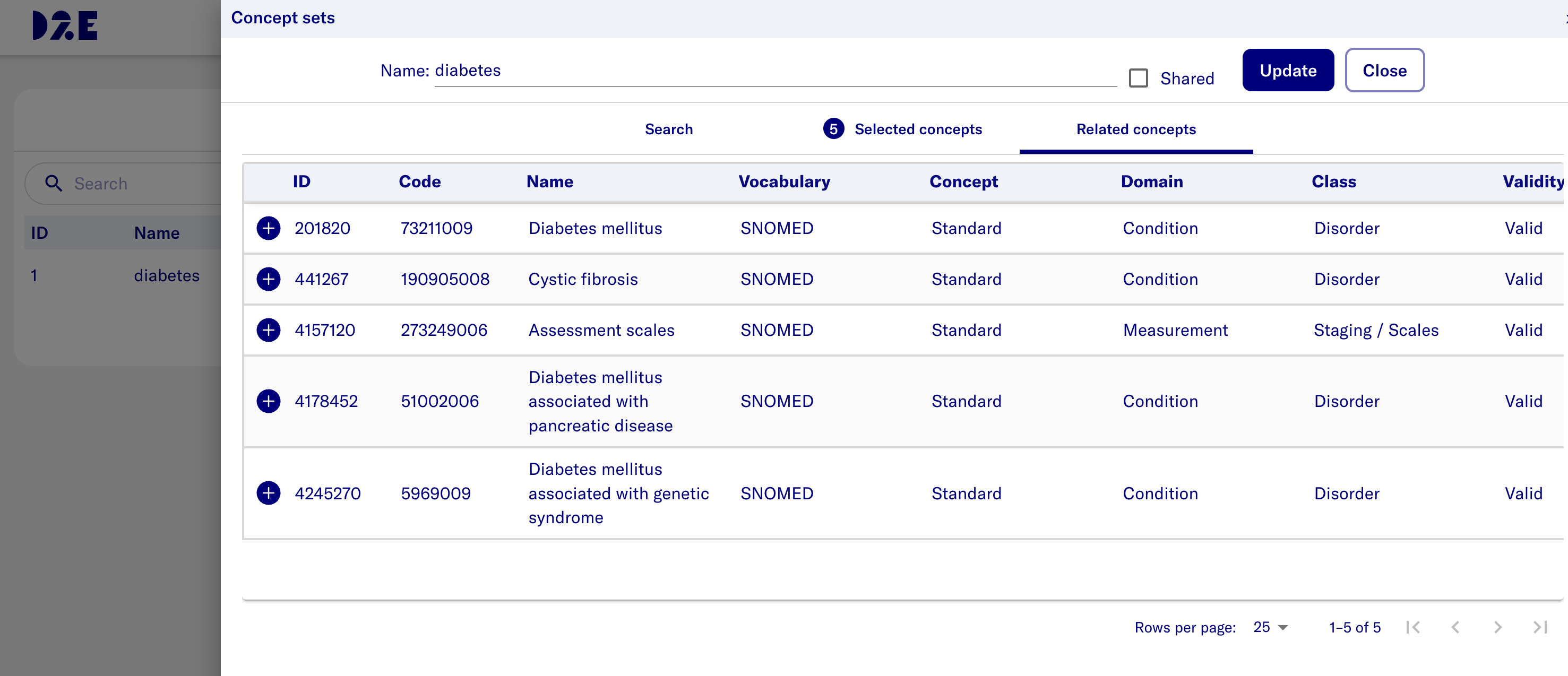
- Verify that concept recommendations appear as expected in Related concepts tab.