Configure patient database credentials
Add database connection details and credentials
-
Log in to the Researcher Portal using a Chrome web browser
- https://localhost:443/portal - local workstation
https://<FQDN>/portal- remote server
-
Login as the new admin user
-
Switch to Admin Portal
-
Select Setup on top right
-
URL is now:
- https://localhost:443/portal/systemadmin/setup - local workstation
https://<FQDN>/portal/systemadmin/setup- remote server
-
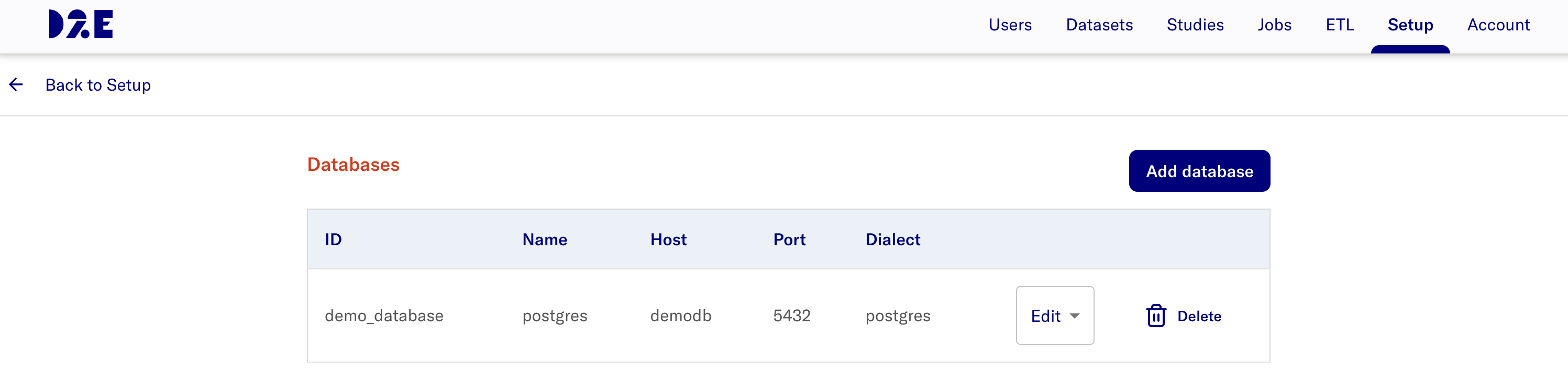
Select Databases Configure button
-
Select Add database
-
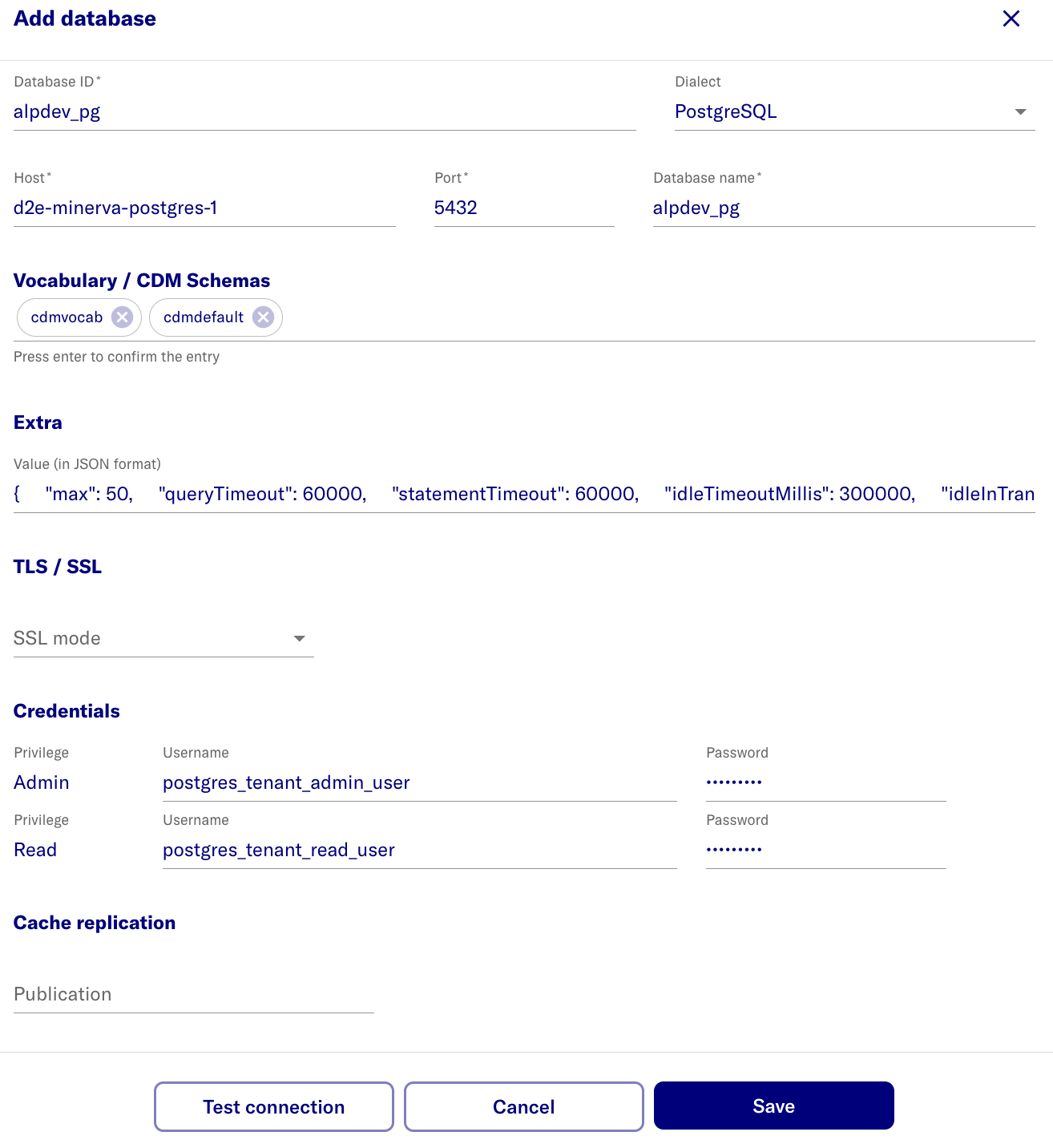
Enter the database information.
- Values below are based on setting up the sample synpuf1k database. Adjust and configure it as per your requirements.
- (for users following the steps to create synpuf1k database) Add the values from the table below based on the previous Postgres database and users setup step.
-
Click Save
| name | value | note |
|---|---|---|
| Database ID | alpdev_pg | display name |
| Host | d2e-minerva-postgres-1 | PostgreSQL container name /or/ external database FQDN. Ensure the correct container name is used. |
| Database name | alpdev_pg | actual name |
| Vocabulary / CDM Schemas | cdmvocab cdmdefault | Enter the vocab/cdm schemas value and press Enter to confirm. |
| Extra | {"max": 50, "schema": "cdmdefault", "queryTimeout": 60000, "statementTimeout": 60000, "idleTimeoutMillis": 300000, "connectionTimeoutMillis": 60000, "idleInTransactionSessionTimeout": 300000} | |
| TLS / SSL | Select None | ^ |
| Admin username | postgres_tenant_admin_user | * |
| Read username | postgres_tenant_read_user | * |
| Admin password | ***** | @ |
| Read password | ***** | @ |
| Cache replication | Not required |
-
^- Specify SSL mode. For SSL connection, selectAllowand enter the CA cert in base64 format.- Example of converting pem file to CA cert:
curl -s https://truststore.pki.rds.amazonaws.com/global/global-bundle.pem | base64
- Example of converting pem file to CA cert:
-
*- schema/usernames are the values expected for sample data load steps - do not change -
@- create a random password- For synpuf1k dataset setup use the password that was created for
postgres_tenant_admin_userandpostgres_tenant_read_userrespectively in section 3-setup-pg-permissions.
- For synpuf1k dataset setup use the password that was created for
-
For the
extrasJSON, theschemavalue is used in certain endpoints where a dataset has not been created yet(e.g checkIfSchemaExists). Therefore, when setting up this extras JSON, it should be ensured that theschemavalue defined here does exist in the database.
After adding database
The expected result after adding a database is: